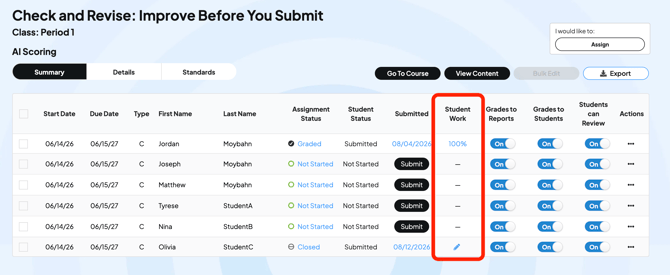
When you open a student's response and leave without scoring it, the platform saves a 0 until you go back and grade it.
If you are only reading a reflection and not scoring it:
- Open the student's response
- Click Give Full Credit before you move on (or you can enter points for each row in the rubric.
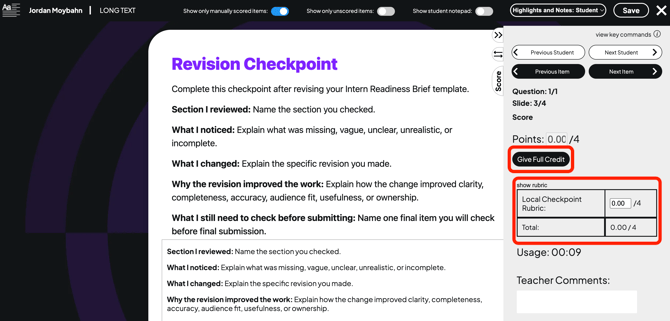
It is one click. Do this for each student whose work you are only reading.
Gradebook icons:
- A pencil icon means an item needs grading
- An line means it has not been submitted or there is nothing to grade
- A score means a teacher has reviewed the assignment