
Why this happens
If a student says their assignment is locked, this usually means the due date has passed. It is up to you whether to extend it.
Extend the due date for one student- Go to the gradebook for the assignment.
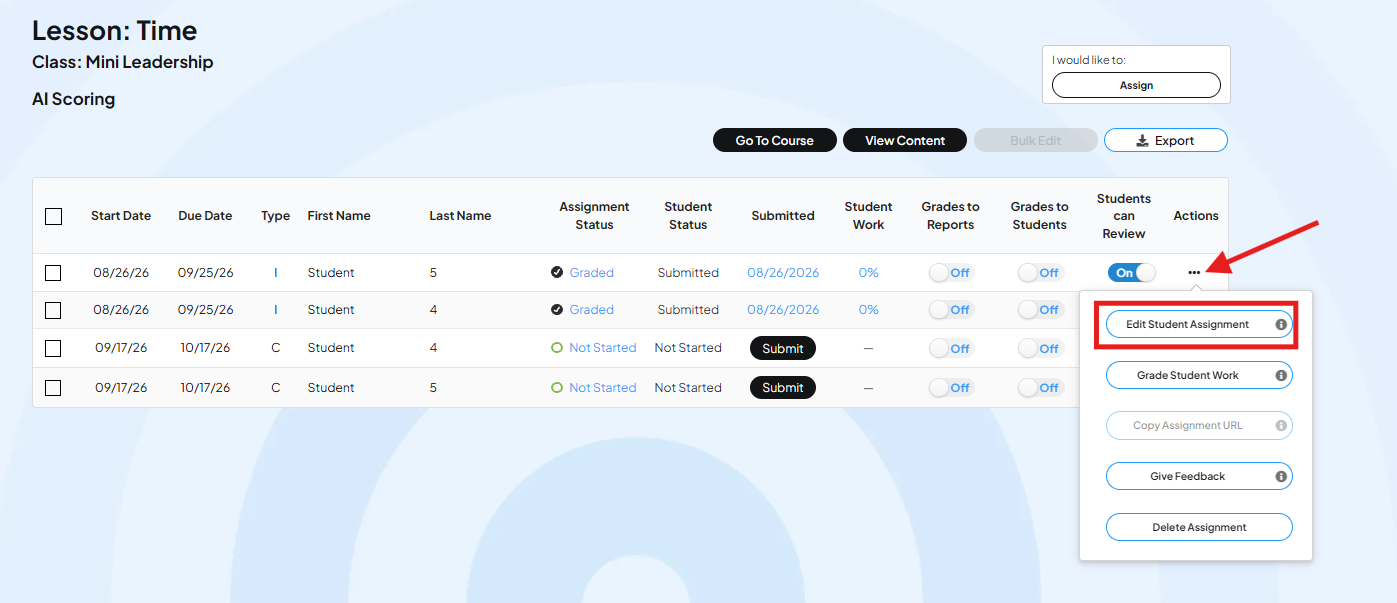
- Find the student's row.
- At the end of the row, click the three dots.
- Click Edit Student Assignment.
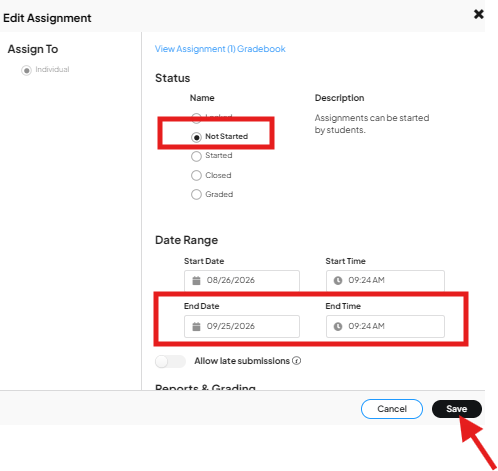
- In the pop-up, change the status to Not Started. This does not reset the student's work. It unlocks the assignment and returns it to wherever the student actually left off, whether that is not started, started, or submitted.
- In the date range, change the end date to the new due date.
- Click Save.
Extend due dates in bulk
Use this method to extend the due date for several students, or the whole class, at once.
- Go to the gradebook for the assignment.
- Scroll down until the full gradebook is loaded. This can take a moment if the gradebook has a lot of students or assignments.
- Check the box next to each student you want to include. To select everyone, check the box at the top of the table.
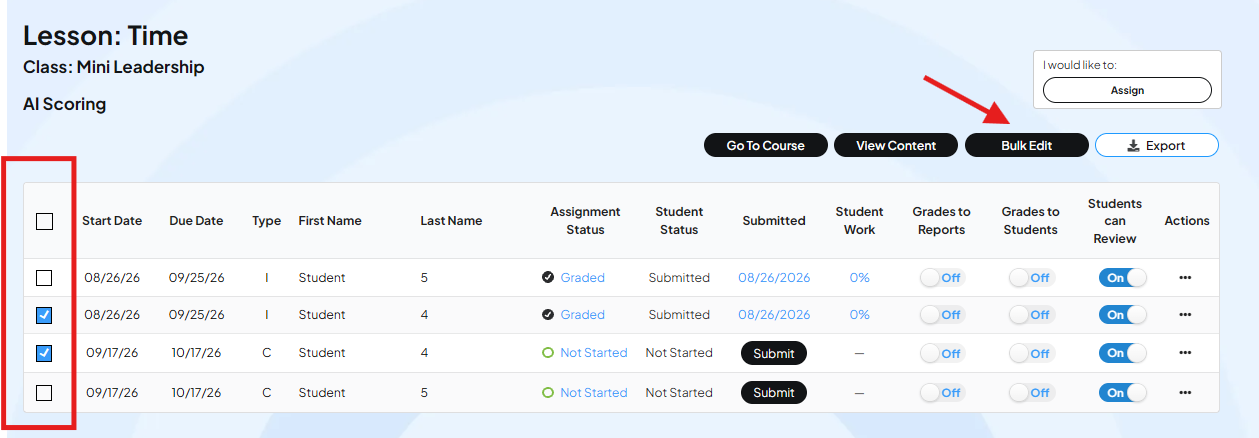
- Click Bulk Edit.
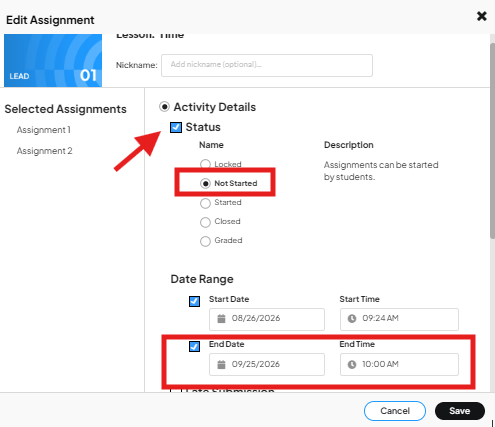
- In the pop-up, check the Status box and choose Not Started.
- Scroll down and change the end date in the date range.
- Click Save.
Important: bulk edit does not reopen submitted work
You can run bulk edit on the whole class without worrying about students who already submitted their assignment. Setting status to Not Started only unlocks assignments that were not finished. Submitted assignments stay marked as submitted and will not reopen.
This means you can safely use bulk edit to extend the due date for everyone who has not submitted yet, even if some students in the group already have.
Before you finish, check three things- The full gradebook is loaded.
- The status is changed to Not Started.
- The due date is changed to a date in the future.
Common questions
What does it mean when an assignment shows as locked? It means the due date has passed. The student cannot access or submit the assignment until you extend the date.
Will changing the status to Not Started erase a student's work? No. It does not reset progress. It unlocks the assignment and shows the student's actual status: not started, started, or submitted.
If I run bulk edit on the whole class, will it reopen assignments students already submitted? No. Submitted assignments stay closed. Only assignments that were not finished get unlocked.
Does the new due date need to be in the future? Yes. If the date is not moved forward, the assignment will lock again right away.