
Change your class name
- Go to your dashboard.
- Click the course card for the class you want to rename.
- Find the link to Class Settings and click it.

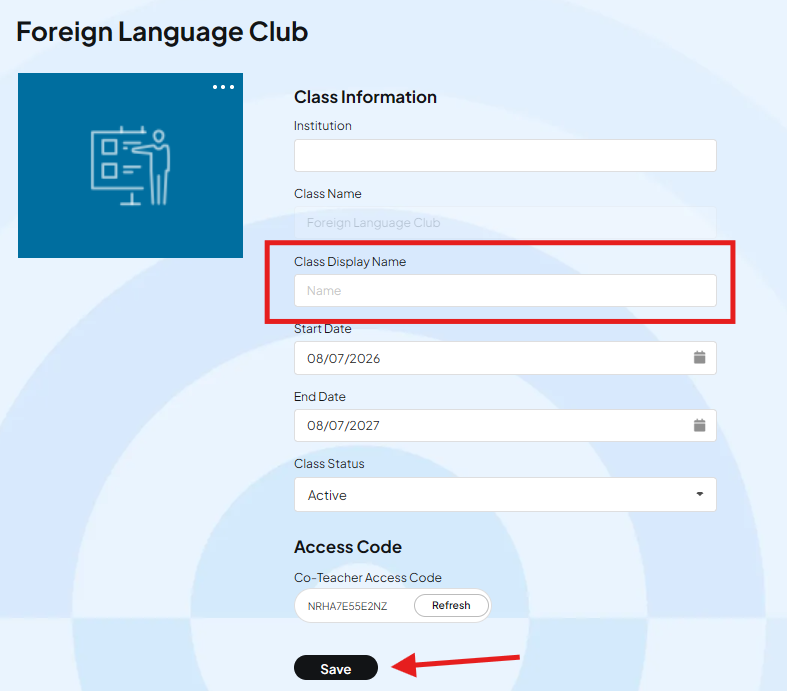
- Change the Class Display Name field to the name you want.
- Click Save.
Common questions
Will this change anything in my LMS? No. It only changes the name you see in your 220 dashboard. Your LMS is not affected.
Will students see the new name? Yes. Students will see the new class name in their 220 platform. It does not change anything in your LMS.
Can I change the name back or update it again later? Yes. Follow the same steps and enter a new display name.